Base64 Encoding Explained: What It Is and When to Use It
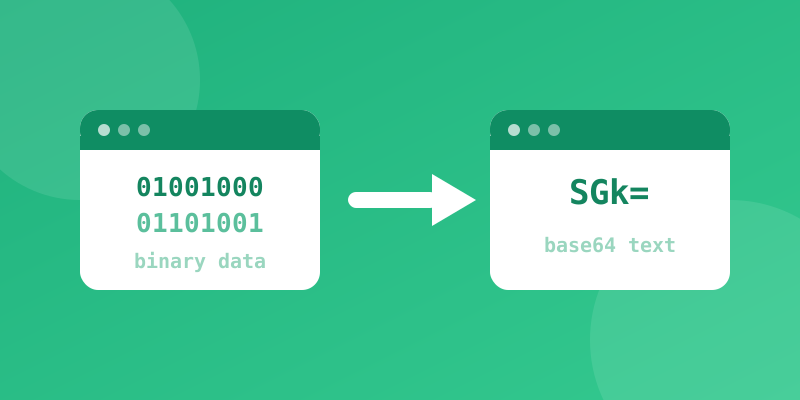
If you've ever peeked at an email's raw source code, an API response, or a chunk of a website's HTML and seen a long jumble of letters and numbers ending in one or two equals signs, you've run into Base64. It looks like encryption. It isn't. Here's what it actually is and why it's everywhere.
The Problem Base64 Solves
Computers store data as raw binary — sequences of bytes that can represent anything from an image to an executable program. But many older systems and text-based formats (email, URLs, JSON, XML, and some databases) were designed to safely carry only a limited set of "printable" text characters. If you tried to drop raw binary data directly into an email body or a URL, control characters and special bytes could break the format, get mangled by different systems, or even be misinterpreted as formatting instructions.
Base64 solves this by re-encoding any binary data into a string made up of only 64 safe characters: A–Z, a–z, 0–9, plus + and / (with = used for padding at the end). Because every character in a Base64 string is guaranteed to be safe for text-based systems, the encoded data can travel through almost any pipe without corruption.
How It Works, Briefly
Base64 takes your data three bytes (24 bits) at a time and re-slices those 24 bits into four 6-bit chunks. Since 6 bits can represent 64 possible values (2&sup6; = 64), each chunk maps neatly to one of the 64 allowed characters. This is why encoded output is roughly 33% longer than the original data — you're trading some size for universal text-safety.
Common Real-World Uses
- Email attachments (MIME): Base64 is how binary attachments like images and PDFs get embedded inside plain-text email messages.
- Embedding small images in CSS or HTML: A small icon can be Base64-encoded and placed directly inside a stylesheet as a "data URI," saving an extra network request.
- APIs and JSON payloads: Since JSON is text-only, binary data like file uploads or cryptographic keys are often Base64-encoded before being included in a request or response.
- Basic HTTP authentication: The classic "Basic" auth header encodes a username and password pair in Base64 before sending it — which brings us to an important warning.
What Base64 Is Not: Encryption
This is the single most important thing to understand about Base64: it provides zero confidentiality. Encoding is not encryption. Anyone who sees a Base64 string can decode it back to the original data instantly, with no key or password required — including with the decoder on this very site. If you see a password, API key, or personal data that has only been Base64-encoded (and not actually encrypted with something like AES), treat it as if it were sent in plain text, because functionally, it was.
Quick Rule of Thumb
Use Base64 when you need to safely represent binary data inside a text-only format. Never rely on it to protect sensitive information — that's a job for real encryption or, for passwords specifically, a proper hashing algorithm.
Need to encode or decode something right now?
Open the Base64 Encoder / Decoder